
Penjualan Turun Padahal Produk Sama? Saatnya Intip Toko KompetitorSales Dropping With the Same Product? Time to Check Your Competitors
Kalau tokomu mendadak sepi, sering kali penyebabnya ada di toko sebelah: harga turun, stok baru masuk, atau mulai pasang iklan. Begini cara tahu, tanpa menebak-nebak.
When your shop suddenly goes quiet, the cause is often next door: a lower price, fresh stock, or new ads. Here's how to find out without guessing.
Di halaman ini
Minggu lalu pesanan lancar. Minggu ini sepi. Produknya sama, harganya sama, fotonya juga sama. Lalu apa yang berubah?
Sering kali jawabannya bukan di tokomu, tapi di toko kompetitor. Mereka mungkin menurunkan harga sedikit, menambah varian baru, atau mulai pasang iklan. Pembeli pun pindah tanpa kamu sadari.
Kenapa ini sulit diketahui?
Di halaman Shopee, kamu hanya melihat sebagian kecil informasi:
- Jumlah terjual cuma tertulis "1RB+ terjual", tidak jelas berapa yang laku bulan ini.
- Stok tiap warna atau ukuran harus dibuka satu per satu.
- Produk iklan dan produk biasa tercampur, sulit dibedakan.
- Kalau mau memantau setiap hari, kamu harus mengecek manual dan mencatat sendiri. Melelahkan dan gampang lupa.
Akibatnya, kamu baru sadar kalah saing setelah penjualan turun berminggu-minggu.
Solusinya: pantau kompetitor dengan data
Dengan Shopee Scraper dari KASKOW, kamu bisa melihat apa yang sebenarnya terjadi di toko kompetitor:
- Perkiraan omzet produk dan toko: total, 30 hari terakhir, dan rata-rata per hari.
- Jumlah terjual yang jelas, bukan sekadar "1RB+".
- Stok dan harga tiap varian (warna/ukuran) saat terakhir dicek.
- Produk iklan vs produk biasa dipisahkan, jadi kamu tahu mana yang laku karena iklan.
- Pantau setiap hari, lengkap dengan grafik tren penjualan yang sederhana.
Caranya, cukup 3 langkah
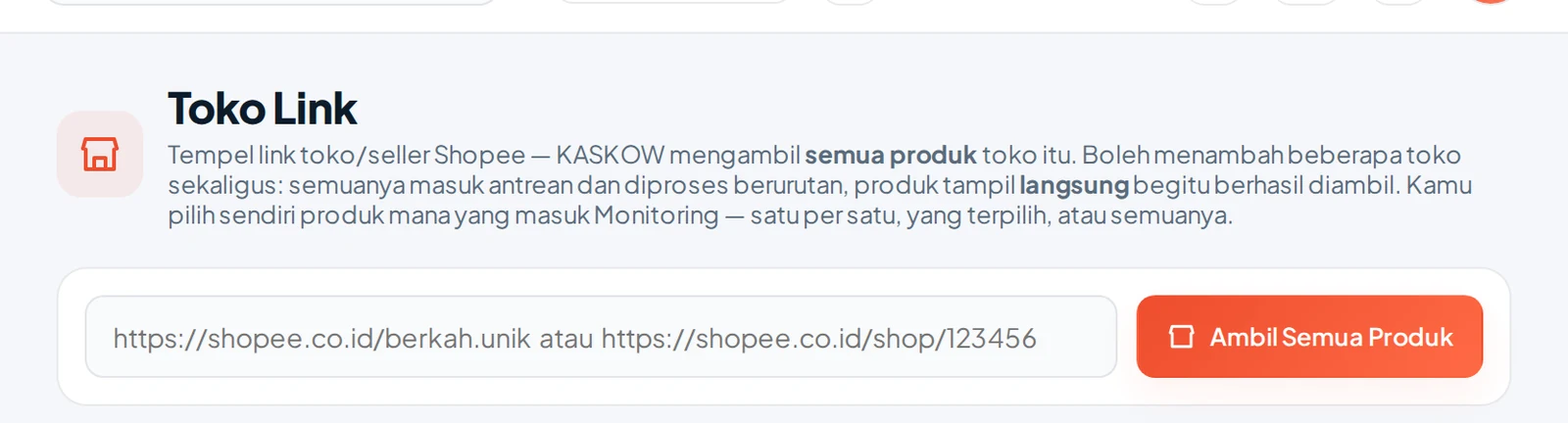
- Tempel link toko kompetitor di Shopee Scraper. Semua produknya langsung tersusun dalam satu tabel.
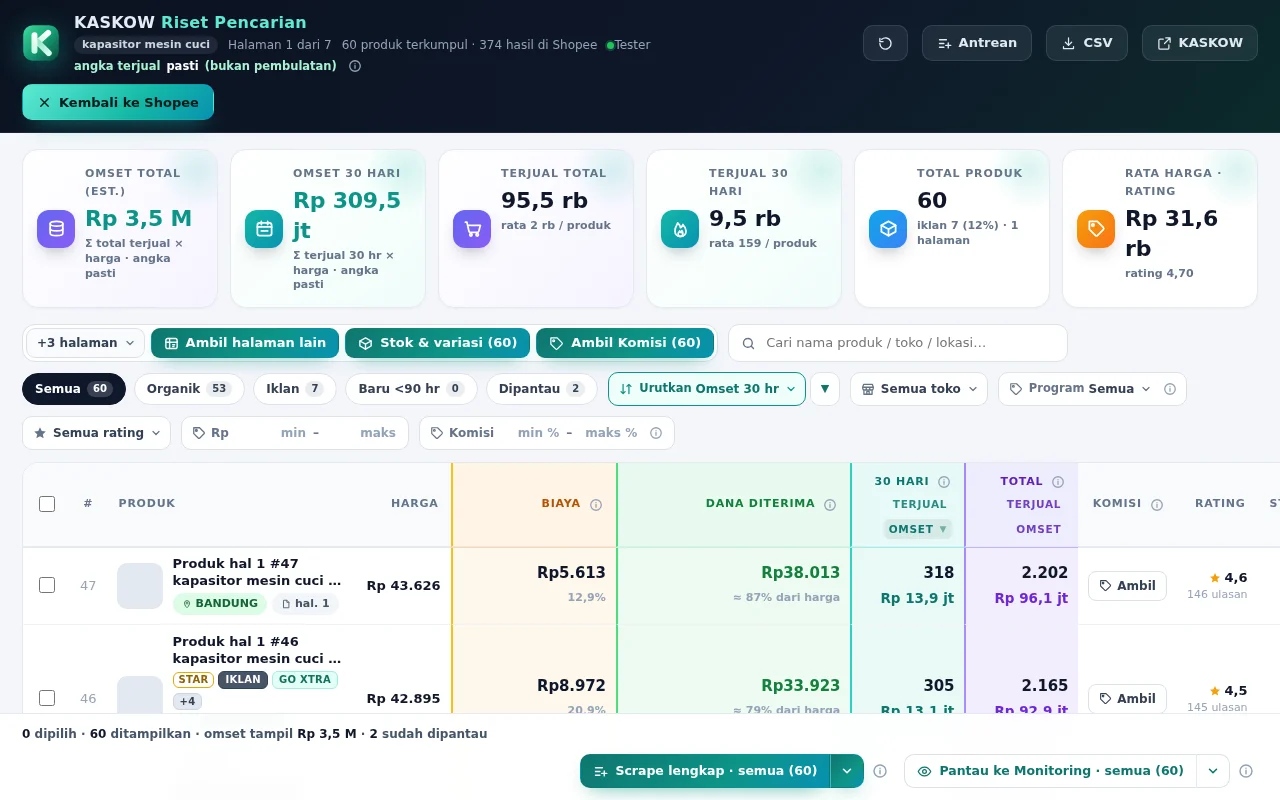
2. Urutkan berdasarkan omzet atau terjual 30 hari untuk melihat produk andalan mereka.
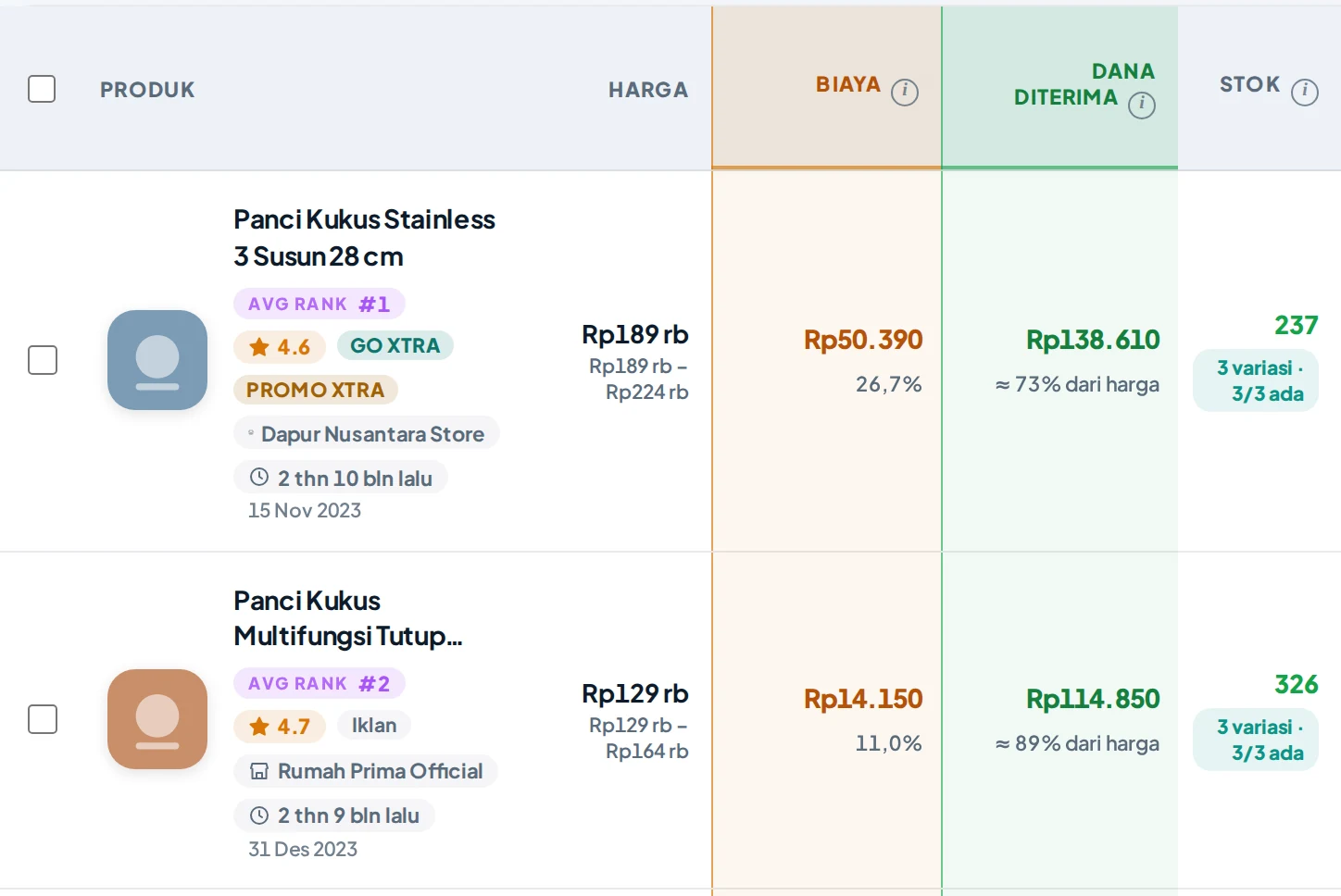
3. Centang produk yang mau dipantau. Datanya diperbarui setiap hari, jadi kamu langsung tahu kalau harga, stok, atau penjualannya berubah.

Produk yang dipantau masuk ke halaman Monitoring Produk dan diperbarui otomatis:

Apa yang bisa kamu lakukan setelahnya?
- Kompetitor menurunkan harga? Pertimbangkan bundling atau voucher, jangan langsung banting harga.
- Varian tertentu laris tapi stok mereka menipis? Itu peluang untuk menyiapkan stokmu.
- Produk mereka laku karena iklan? Kamu bisa fokus memperkuat produk organik di kata kunci lain.
Angka omzet di Shopee Scraper adalah perkiraan, cukup untuk membaca arah pasar dan mengambil keputusan lebih cepat.
Belum pakai Shopee Scraper? Coba gratis 7 hari dan kenali fiturnya di halaman produk.
Last week orders were steady. This week it's quiet. Same product, same price, same photos. So what changed?
Often the answer is not in your shop but in your competitor's. They may have cut the price slightly, added new variants, or started running ads, and buyers moved without you noticing.
Why is this hard to see?
Shopee's pages only show a small part of the picture:
- Sold counts just say "1K+ sold", not how many sold this month.
- Stock per color or size has to be opened one by one.
- Ads and regular listings are mixed together.
- Tracking daily means checking and noting everything by hand.
So you only realize you're losing after sales have dropped for weeks.
The fix: track competitors with data
With KASKOW Shopee Scraper you can see what is really happening in a competitor's shop:
- Estimated revenue per product and shop: total, last 30 days, and daily average.
- Clear sold counts, not just "1K+".
- Stock and price per variant (color/size) as of the last check.
- Ads vs regular listings separated, so you know what sells because of ads.
- Daily tracking with a simple sales trend chart.
How, in 3 steps
- Paste a competitor's shop link into Shopee Scraper. All their products line up in one table.
2. Sort by revenue or 30-day sales to find their best sellers.
3. Tick the products you want to track. Data updates daily, so you know when price, stock, or sales change.
What can you do next?
- Competitor cut the price? Consider bundles or vouchers before slashing yours.
- A variant sells well but their stock is running low? That's your chance to stock up.
- Their product sells because of ads? Strengthen your organic listings on other keywords.
Revenue figures in Shopee Scraper are estimates, good enough to read market direction and decide faster.
Not using Shopee Scraper yet? Try it free for 7 days on the product page.