
Menganalisis toko kompetitor dengan Toko Link: ambil semua produk dalam satu tempelAnalyzing a competitor shop with Toko Link: collect every product with one paste
Tempel tautan toko pesaing untuk mengambil seluruh produknya, lalu pilih sendiri produk yang ingin dipantau. Bisa beberapa toko sekaligus.
Paste a rival shop's link to collect all of its products, then choose which ones to monitor. Several shops at once are possible.
Di halaman ini
Cara tercepat mempelajari pesaing adalah melihat seluruh produknya sekaligus, bukan satu per satu. Menu Toko Link dibuat untuk itu.
Screenshot di panduan ini memakai data contoh agar mudah dibaca. Angka dan nama toko di akun Anda akan berbeda.
Langkah-langkahnya
- Buka halaman toko pesaing di Shopee, lalu salin tautannya (misalnya
https://shopee.co.id/nama.toko). - Di KASKOW buka Product Analysis → Toko Link.
- Tempel tautan ke kolom yang tersedia.
- Klik Ambil Semua Produk.
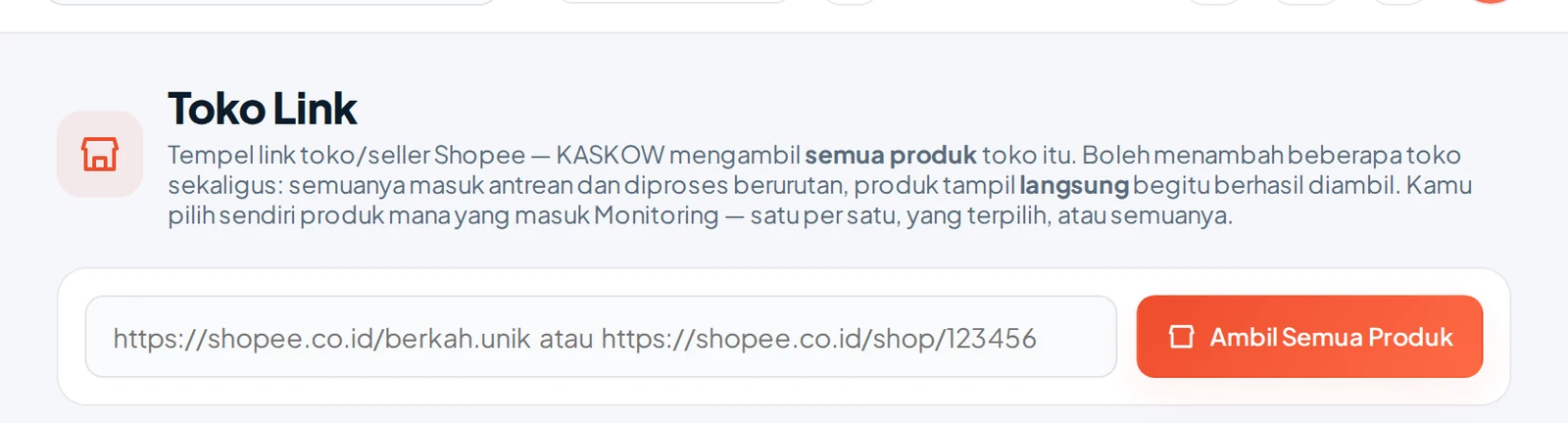
Anda boleh menempel beberapa toko sekaligus. Semuanya masuk antrean dan diproses berurutan, dan produk tampil langsung begitu berhasil diambil, jadi tidak perlu menunggu seluruh toko selesai.
Yang perlu dilihat pada hasilnya
Hasil memakai tabel yang sama dengan riset lain (panduan membaca tabel). Untuk analisis pesaing, fokus pada:
| Pertanyaan | Lihat di |
|---|---|
| Produk mana yang menopang toko? | Urutkan menurut omzet 30 hari |
| Apakah penjualan bergantung pada satu produk? | Bandingkan omzet antarproduk |
| Produk apa yang baru mereka luncurkan? | Umur produk pada kolom Produk |
| Apakah mereka mengiklankan produk andalan? | Label iklan pada produk |
| Variasi apa yang cepat habis? | Kolom Stok dan jumlah variasi |
Pilih 2–3 pesaing terdekat, bukan puluhan. Anda mencari pola yang bisa dipelajari, bukan sekadar daftar panjang.
Menyimpan yang penting
Anda memilih sendiri produk mana yang masuk Monitoring: satu per satu, yang dicentang, atau semuanya. Pantau hanya produk yang benar-benar bersaing dengan produk Anda. Cara memakai Monitoring ada di Memantau harga dan penjualan kompetitor.
Toko dengan ratusan produk membutuhkan waktu lebih lama. Biarkan Chrome tetap terbuka sampai selesai.
The fastest way to study a rival is to see all of its products at once, not one by one. The Toko Link menu is built for that.
Screenshots in this guide use sample data for readability. The numbers and shop names in your account will differ.
Steps
- Open the rival's shop page on Shopee and copy its link (for example
https://shopee.co.id/shop.name). - In KASKOW open Product Analysis → Toko Link.
- Paste the link into the field.
- Click Ambil Semua Produk (Get All Products).
You can paste several shops at once. All of them join the queue and are processed in order, and products appear as soon as they are collected, so you do not wait for every shop to finish.
What to look at in the result
Results use the same table as other research (table reading guide). For rival analysis, focus on:
| Question | Look at |
|---|---|
| Which products carry the shop? | Sort by 30-day revenue |
| Does revenue depend on one product? | Compare revenue across products |
| What did they just launch? | Product age in the Produk column |
| Do they advertise hero products? | Ad label on products |
| Which variations sell out fast? | Stock column and variation count |
Pick 2–3 closest rivals, not dozens. You are looking for patterns to learn from, not just a long list.
Saving what matters
You choose which products go into Monitoring: one by one, the ticked ones, or all. Monitor only products that truly compete with yours. How to use Monitoring is in Tracking competitor prices and sales.
Shops with hundreds of products take longer. Keep Chrome open until it finishes.