
Riset per kategori Shopee: memetakan satu ceruk dengan Produk KategoriResearch by Shopee category: mapping a niche with Produk Kategori
Pilih kategori dan sub-kategori Shopee, lalu lihat produk teratas, rentang harga, dan potensi omzet di ceruk itu.
Pick a Shopee category and sub-category, then see the top products, price range and revenue potential in that niche.
Di halaman ini
Riset kategori cocok saat Anda belum punya kata kunci pasti dan ingin memetakan satu ceruk: produk apa yang dominan, di rentang harga berapa, dan seberapa ramai.
Screenshot di panduan ini memakai data contoh agar mudah dibaca. Angka dan nama toko di akun Anda akan berbeda.
Langkah-langkahnya
- Buka Product Analysis → Produk Kategori.
- Pilih kategori utama dari kartu yang tersedia, atau cari lewat kolom pencarian (misalnya "Peralatan Dapur").
- Pilih sub-kategori yang lebih spesifik pada panel yang muncul.
- Tentukan jumlah produk yang diambil.
- Klik Mulai Scrape.
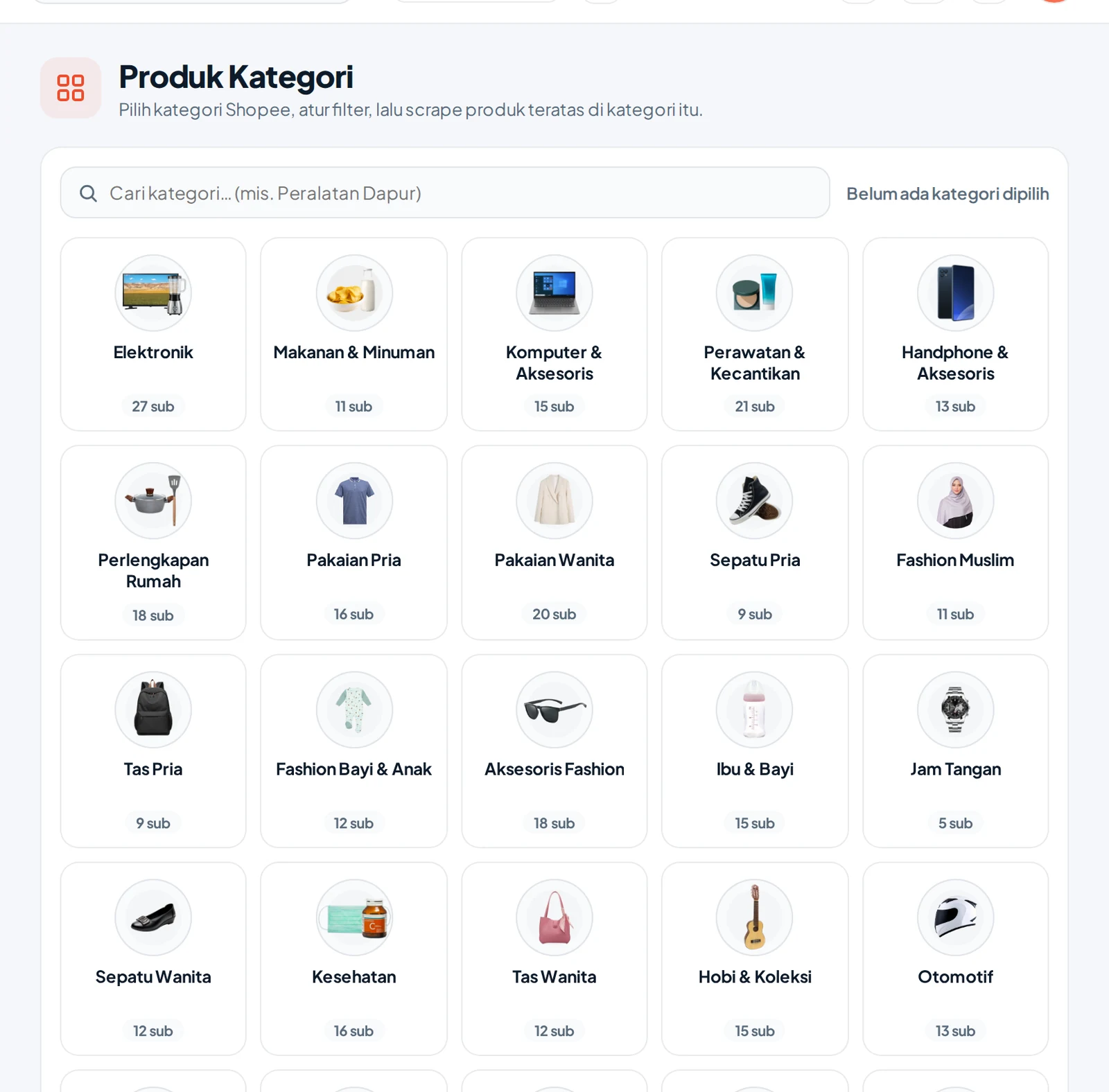
Semakin spesifik sub-kategorinya, semakin relevan perbandingannya. Kategori utama yang terlalu luas mencampur produk yang tidak sebanding.
Membaca hasilnya
Hasil tampil seperti riset kata kunci: kartu ringkasan, tabel produk, dan tab Kategori untuk riwayat pengambilan. Cara membacanya sama, lihat Membaca tabel hasil.
Hal yang layak dicari:
- Sebaran penjualan. Apakah beberapa toko menguasai, atau menyebar?
- Rentang harga. Di mana produk terlaris berada: murah, menengah, atau premium?
- Produk baru yang cepat naik. Lihat umur produk dan omzet 30 harinya.
- Celah. Variasi atau ukuran yang jarang tersedia.
Kapan memakai kategori, kapan kata kunci
| Situasi | Pilihan |
|---|---|
| Sudah tahu produk yang dicari | Kata kunci |
| Ingin menjelajah ceruk baru | Kategori |
| Ingin mempelajari satu pesaing | Toko Link |
Data kategori mengikuti klasifikasi Shopee dan bisa berubah. Hasil riset adalah estimasi.
Category research suits the moment when you have no exact keyword and want to map a niche: which products dominate, at what price range, and how crowded it is.
Screenshots in this guide use sample data for readability. The numbers and shop names in your account will differ.
Steps
- Open Product Analysis → Produk Kategori.
- Pick a main category from the cards, or search with the search box (for example "Kitchenware").
- Pick a more specific sub-category in the panel that appears.
- Set the number of products to collect.
- Click Mulai Scrape.
The more specific the sub-category, the more relevant the comparison. A main category that is too broad mixes products that are not comparable.
Reading the result
Results appear like keyword research: summary cards, a product table, and a Kategori tab for the collection history. Reading them works the same way, see Reading the results table.
What is worth looking for:
- Sales distribution. Do a few shops dominate, or is it spread out?
- Price range. Where do the best sellers sit: cheap, mid-range or premium?
- New products rising fast. Check product age and 30-day revenue.
- Gaps. Variations or sizes that are rarely available.
When to use category, when to use keyword
| Situation | Choice |
|---|---|
| You already know the product | Keyword |
| You want to explore a new niche | Category |
| You want to study one rival | Toko Link |
Category data follows Shopee's classification and can change. Research results are estimates.